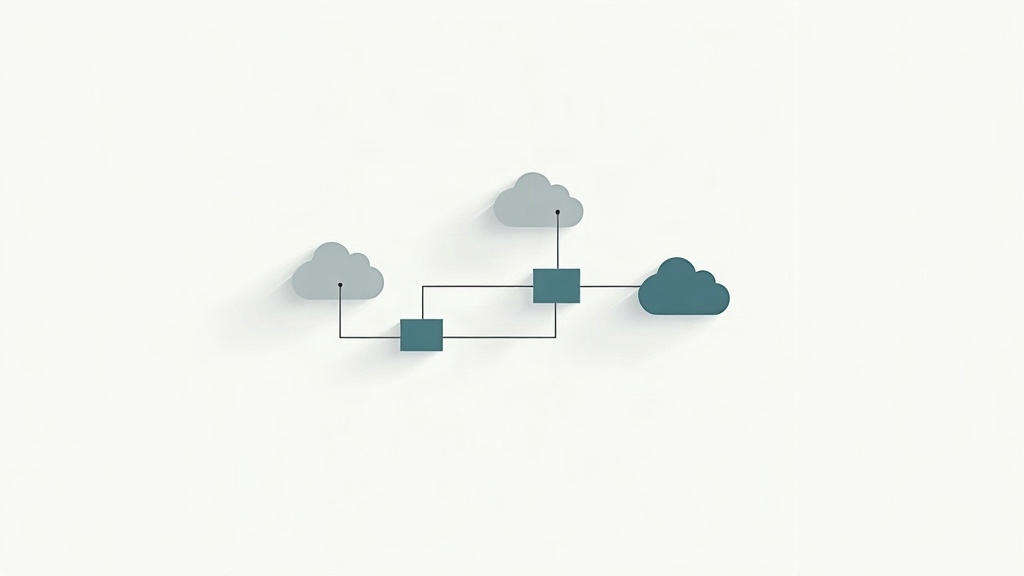
Most people meet Claude in a chat box. You type a question, it types back an answer, and that is the whole relationship. An agent works differently. It gets a goal, a set of tools, and permission to act. Then it keeps working on its own until the job is finished or it needs your input. That shift turns a helpful chatbot into something closer to a junior teammate who never sleeps.
Claude is built by Anthropic, and the company has spent the last two years adding agent features directly into its products. Claude can read files, run code, browse the web, and call outside services through a standard called the Model Context Protocol. Developers can also wire Claude into their own software with the Anthropic API. The result is a growing pile of real examples, from inbox clean-up to research briefs to overnight code reviews.
This guide walks through what Claude agent examples actually look like in practice. You will see six common patterns, the tools each one needs, and roughly what they cost to run. You will also get a clear view of the limits, because agents fail in ways that plain chatbots never do. If you are brand new to the category, start with our what is an AI agent explainer and then come back here.
| Claude Agent Example | What It Does | Main Tool Used | Best For |
|---|---|---|---|
| Inbox triage | Sorts mail, drafts replies, flags urgent items | Email API plus Claude API | Founders and support leads |
| Invoice processing | Reads PDFs, pulls totals, updates the ledger | File reader plus spreadsheet | Bookkeepers and finance teams |
| Code review | Reads pull requests, finds bugs, suggests fixes | Claude Code and Git tools | Software teams |
| Research briefs | Browses sources, summarizes, attaches citations | Web search tool | Analysts and consultants |
| Meeting follow-ups | Turns transcripts into tasks and recap emails | Transcript plus calendar tools | Project managers |
| Customer support | Answers common tickets, escalates edge cases | Help desk API | Support and service teams |
What Is a Claude Agent, in Plain English?
A Claude agent is Claude with three extra things bolted on: a goal, a set of tools, and a loop that lets it keep going. The plain chatbot answers one message and stops. The agent reads the result of each action, decides what to do next, and repeats until the task is done. Anthropic builds this behavior into Claude through tool use, which the company documents at Anthropic.
The difference sounds small, and it is not. A chatbot can summarize a spreadsheet you paste into the box. An agent can open the file itself, find the three columns that matter, build a chart, save the chart, and email it to your boss. That last part, taking action in the world, is the line between agents and chat. Our AI agent vs chatbot breakdown covers where that line sits.
Under the hood, most Claude agents run a simple pattern. The model gets a task and a list of tools. It picks a tool, runs it, and reads what came back. Then it plans the next move. This cycle repeats until it hits a stop condition or asks you a question. Engineers call it the agent loop, and our how do AI agents work guide explains it without the jargon.
One more piece matters: memory. Without it, the agent forgets everything between steps and starts over. Anthropic gives Claude a long context window, and developers often add a notes file or database so the agent can recall earlier work. Tools, memory, and a loop. Those three pieces are what make a Claude agent useful instead of just clever.
- Goal: the outcome you want, written in plain language
- Tools: the specific apps and data the agent may touch
- Loop: the plan, act, check cycle that keeps it moving
- Memory: a file, database, or long context that holds past steps
- Guardrails: rules for when the agent must stop and ask a human
What Are the Most Common Claude Agent Examples at Work?

The examples that show up again and again share one trait. They involve repeatable steps with clear rules and a checkable result. That is the sweet spot for agents. Gartner expects this pattern to spread fast. The research firm forecasts that 40 percent of enterprise applications will include task-specific AI agents by 2026, up from less than 5 percent in 2025. McKinsey’s latest State of AI survey found that 78 percent of organizations now use AI in at least one business function.
Inbox triage is the most popular starting point. The agent reads incoming mail, sorts it into buckets, drafts replies for the easy ones, and flags anything urgent. It works because email has structure, and mistakes are easy to catch. Invoice processing is a close second. The agent opens a PDF, pulls the vendor name, date, and total, then writes those values into a spreadsheet or accounting tool. Bookkeepers love it because the work is dull and the rules rarely change.
Code review is the example Anthropic itself pushes hardest. Claude Code can read a pull request, spot a bug, suggest a fix, and explain the reasoning. Research briefs follow a similar shape. The agent searches the web, reads sources, pulls the important facts, and writes a summary with links. Meeting follow-ups and customer support rounds out the list. Both turn messy inputs, transcripts and tickets, into clean outputs like tasks and replies.
- Inbox triage: sort mail, draft short replies, flag urgent items
- Invoice processing: read PDFs, pull totals, update the ledger
- Code review: scan pull requests, find bugs, suggest fixes
- Research briefs: browse sources, summarize, attach citations
- Meeting follow-ups: turn transcripts into tasks and recap emails
- Customer support: answer common tickets, escalate the odd ones
How Do Claude Agents Use Tools, Files, and the Web?

Tools are what let Claude touch the real world. A tool is just a function the model can call, like search my email or read this file. Anthropic exposes a set of built-in tools, including web search, code execution, and file reading. Developers then add their own tools for internal systems. When Claude decides it needs data, it calls the tool, reads the response, and keeps going.
The plumbing used to be the hard part. Every app needed custom code. In late 2024, Anthropic released the Model Context Protocol, or MCP, to fix that. MCP is an open standard, so a service that supports it works with Claude without one-off wiring. Think of it as a universal plug. If your calendar app speaks MCP, Claude can read and write to it without a developer writing glue code for every new integration.
File handling is where Claude tends to shine. The model can read long documents, spreadsheets, and code files in one pass. That makes it strong on tasks where the input is a big messy pile. Web browsing is the weaker link. Search results can be stale or wrong, and agents sometimes trust the first page they read. Good designs add a verification step where the agent checks a claim against a second source.
The practical takeaway is simple. Before you build anything, list the systems the agent needs to reach. Email, calendar, a spreadsheet, a database, a help desk. Each one is a tool, and each one adds setup work. Agents with few tools tend to be more reliable than agents wired into everything at once.
What Does Running a Claude Agent Cost?
Claude agents bill by tokens, which are small chunks of text. You pay for what the model reads and what it writes. A short email reply might use a few hundred tokens. A 40 page contract could use tens of thousands. Because agents loop, they read the same context repeatedly, so the meter runs faster than a single chat message would.
Anthropic also offers prompt caching, which stores repeated context so you pay less for it on later steps. That single feature can cut costs on long-running agents by a wide margin. Developers who ignore it often see bills that surprise them. Beyond tokens, there is the cost of the tools themselves. Email APIs, cloud storage, and database calls each carry their own fees, and those add up quietly.
For a rough sense of scale, consider three tiers. A personal agent that sorts one inbox and writes a daily summary often lands under 20 dollars a month. A small business agent handling a few hundred invoices a month typically sits in the low hundreds. An agent processing thousands of documents across several systems can run into four figures, especially if it browses the web on every step.
The smart move is a spending cap. Set a monthly limit on your API key before you turn the agent on. Track token use per run so you can see which step is eating the budget. Most overspend comes from one runaway loop, not from steady daily work.
- Token cost: what the model reads and writes on every step
- Prompt caching: reuse long context at a lower rate
- Tool fees: email, storage, and database services bill separately
- Spending caps: set a hard monthly limit on the API key
- Run logs: track tokens per step to find the expensive ones
Which Claude Agent Examples Fit Small Teams and Solo Users?
You do not need a platform team to run a useful agent. Solo users and small businesses get the most value from narrow tasks that happen often. Daily email summaries, weekly report drafts, and receipt sorting are all realistic starting points. They use few tools, cost little, and fail in ways you can spot yourself. Our best AI agents for non-technical users roundup lists tools that skip the code entirely.
A solo consultant might run one agent that reads new emails, drafts replies in the client’s tone, and builds a Friday summary of open items. A two person accounting shop might run one that pulls totals from supplier invoices and drops them into a ledger. Neither needs a custom API. Both use a hosted connector and a written set of rules.
The pattern that works is start small, then widen. Pick one task that takes you 30 minutes a day. Write down the exact steps you follow. Hand those steps to the agent and check its output for two weeks. Once it is reliable, add one more tool. Teams that skip this stage usually end up with a sprawling agent nobody trusts.
If you are still choosing a first project, our getting started with AI agents guide has a short checklist. The main rule is boring but true. Pick work you already understand well, because you cannot judge an agent’s output on a task you have never done yourself.
What Are the Risks and Limits of Claude Agents?
Agents fail differently than chatbots, and the failures are louder. A chatbot that gets something wrong gives you a bad answer. An agent that gets something wrong may have already sent the email, changed the spreadsheet, or deleted the file. The mistake is committed before you see it. That single difference is why every serious design includes an approval step for anything that cannot be undone.
Common failure modes follow a short list. The agent misreads a messy input, like a scanned invoice with a coffee stain. It calls the wrong tool because two tool names sound similar. It falls into a loop, repeating the same step until the budget runs out. Or it reports a confident number that came from a source it never actually checked. None of these are rare. They are the normal cost of giving software permission to act.
Anthropic and other labs publish guidance on keeping agents bounded. The advice is consistent across sources. Give the agent the fewest tools it needs. Require approval before anything involving money, legal text, or messages to customers. Log every action so you can trace what happened. Set hard limits on loops and spending. Our is AI safe explainer goes deeper on the wider safety picture.
There is also the human side. People stop checking output once an agent earns their trust, and that is exactly when a quiet error slips through. Build in a spot check, even on work the agent has handled well for months. Agents are tools, and tools need maintenance. The teams that treat them that way get the most out of them.
Frequently Asked Questions
What is a Claude agent in simple terms?
It is Claude with tools, memory, and a goal. Instead of answering one message and stopping, it takes steps on its own until the job is finished. A chat reply summarizes your inbox. A Claude agent reads the mail, drafts replies, and hands you a finished list.
Do I need to code to build a Claude agent?
Not always. Many simple agents run inside hosted tools that connect Claude to your email, files, or calendar through a few clicks. Custom agents that touch internal databases usually need a developer, or at least someone comfortable with APIs.
How much does a Claude agent cost to run?
Most of the cost is tokens, which are chunks of text the model reads and writes. Small personal agents often land under 20 dollars a month. Busy business agents that process thousands of documents can run into the hundreds, so set a spending cap before you turn one loose.
Is Claude better than ChatGPT for agents?
Neither wins outright. Claude tends to handle long documents and careful multi-step reasoning well. ChatGPT has a larger plugin and app marketplace. The better choice usually comes down to which tools you already use. Our ChatGPT vs Claude comparison walks through the tradeoffs.
Can a Claude agent make mistakes?
Yes, and it will. Agents can misread a file, call the wrong tool, or confidently report a number that is wrong. Keep a human approval step on anything involving money, legal language, or customer-facing messages.
What is the Model Context Protocol?
It is an open standard Anthropic released so AI models can connect to outside tools and data in a consistent way. Think of it as a universal plug. A service that supports it works with Claude without custom wiring for every app.
What Should You Remember?
- A Claude agent acts on its own. It runs a loop of plan, use a tool, check the result, and repeat until the task is done.
- Inbox triage and invoice processing are the two most common starter examples, because both involve repeatable steps and clear rules.
- Tools are the whole game. Claude is only as useful as the systems you connect it to, whether that is email, files, or a database.
- Costs scale with tokens. Cheap for personal use, real money once you process thousands of documents a month.
- The Model Context Protocol lets Claude plug into outside services without custom code for every single app.
- Keep a human in the loop. Agents misfire on edge cases, and the damage is bigger when they can send, pay, or delete.
This article is for general informational purposes only and is not professional or investment advice. AI tools, pricing, and capabilities change quickly, so verify current details with the official source before acting. Statistics are sourced and dated in each article. Some links may be affiliate links that support this site at no cost to you.